

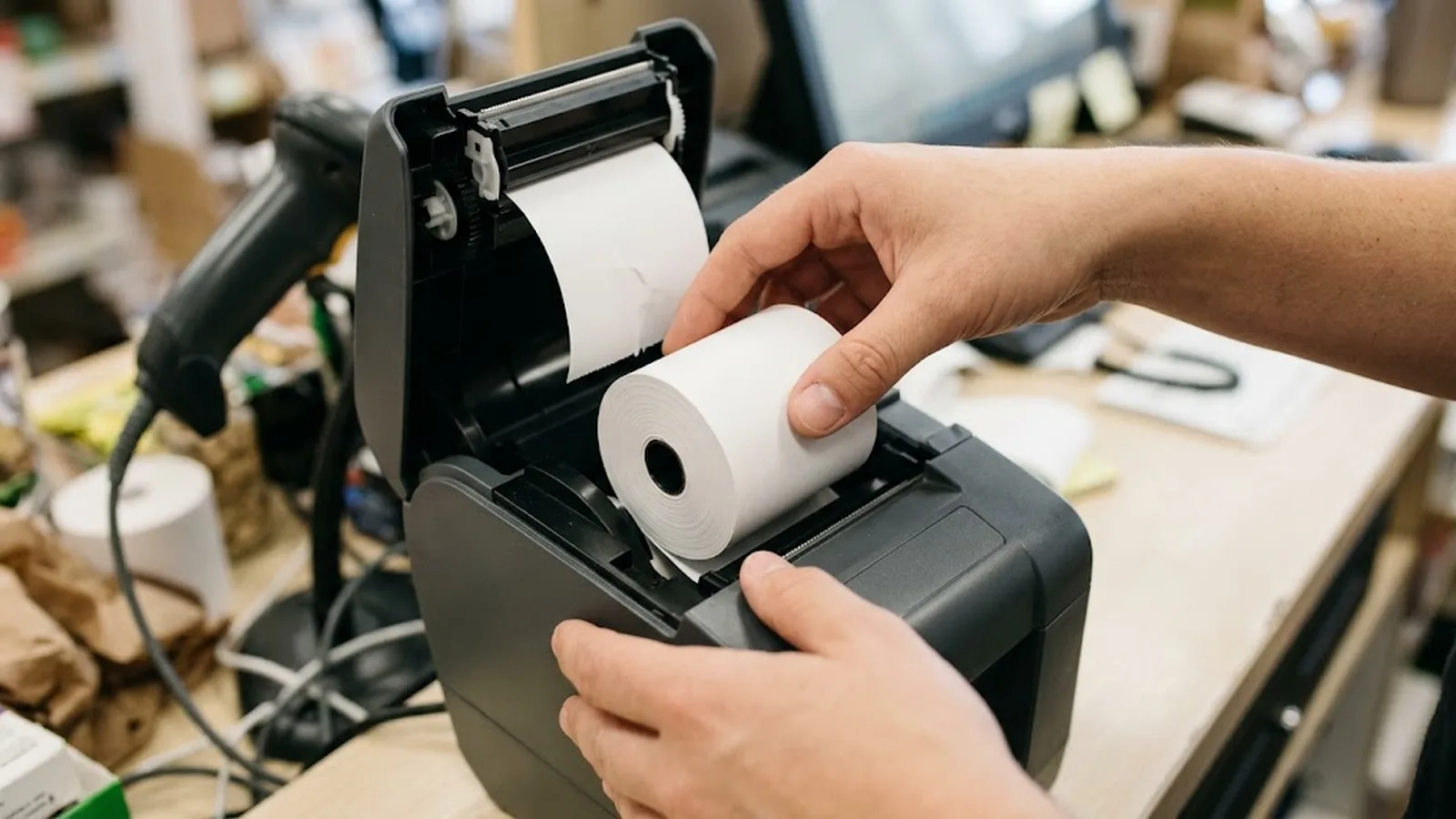
To choose the right POS paper roll size, match three numbers to each printer model in service: the roll width the printer accepts, the maximum roll diameter its bay fits, and the core size its spindle requires. Width is non-negotiable — an 80 mm printer will not reliably take a 57 mm roll without adapters and print offset. Diameter is a trade-off: larger rolls (up to the bay limit) mean fewer roll changes and lower cost per metre, but bigger storage footprint and possible lid-closure problems. Core size must match the spindle exactly — commonly 12.7 mm (1/2 inch) or 25.4 mm (1 inch) — or the roll simply will not load. For most retail checkouts running 80 mm printers, 80 x 80 mm on a 12.7 mm core is the default; compact and mobile printers typically take 57 mm widths such as 57 x 50. Confirm all three numbers from the printer's media specification or by measuring the roll currently in use, then standardise the specification per machine model across every site.
Ordering the wrong roll size is the most avoidable expense in POS consumables, and it happens constantly: a pallet of 80 x 65 rolls that will not close the till lid, 57 mm rolls ordered for an 80 mm printer because 'they looked similar', or rolls on 1-inch cores that fit nothing on the floor. Every one of these traces back to the same root cause — sizing copied from a previous order or guessed from a photo, instead of read from the machine.
The good news is that POS sizing is genuinely simple once structured. Every printer constrains exactly three numbers — width, maximum diameter and core — and the standard market formats cluster into a handful of common combinations. A buyer who can measure or look up those three numbers can specify the correct roll for any machine in the estate in under a minute, and can consolidate orders across sites to cut both unit cost and delivery frequency.
This guide walks through the sizing decision step by step: how to read the three constraint numbers, how to trade roll diameter against storage and change frequency, which formats dominate which station types, and the sizing mistakes that generate the most returns in the trade. For a general reference to dimensions and notation conventions — including how to read imperial listings like 3 1/8 x 230 — see our thermal paper size guide; here the focus is on making the choice, not reading the numbers.
Our POS and receipt paper rolls programme publishes the test data behind each grade, so specifications can be verified against the mill's own measurements rather than a catalogue claim.
- Width, maximum diameter and core size are the only three numbers that matter — all three come from the printer's media specification, not from the old invoice.
- Width must match exactly; down-sizing width causes off-centre prints and jams, up-sizing does not fit at all.
- Bigger diameters mean fewer roll changes and cheaper cost per metre, capped by the printer bay and shelf depth.
- Core size is binary and unforgiving: 12.7 mm and 25.4 mm spindles are not interchangeable.
- Standardise one size per machine model across all sites — mixed sizes in identical machines are pure cost.
Step 1: Read the three numbers from the machine, not the invoice
Every POS printer — impact, dot-matrix legacy aside, and every thermal model — publishes a media specification with three constraints. Roll width is the paper's width edge to edge; most retail thermal printers take 80 mm or 57 mm class media, and the printer's actual tolerance is a millimetre or two either side. Maximum roll diameter is set by the paper bay geometry; loading a roll even slightly over it causes lid closure failures, dragging brakes and premature head wear. Core size — the inner cardboard tube — is dictated by the spindle, and the two market standards, 12.7 mm (half inch) and 25.4 mm (one inch), do not mix.
The most reliable source is the printer's own manual or manufacturer page for the exact model. The second most reliable is a working roll from the machine: measure its width with a ruler, its diameter with a tape, and the core's inner diameter with a caliper or by comparing against a known 12.7 mm item. Old invoices are the least reliable source, because they carry forward every past ordering error.
Note the numbers per machine model. A site with three printer types — say an 80 mm checkout printer, a 57 mm handheld and a kitchen impact printer — is not one sizing decision but three, even if the paper budget is consolidated.
- Width: match the printer's accepted class (80 mm or 57 mm most commonly) exactly.
- Diameter: never exceed the bay's stated maximum; check lid closure with a sample roll before ordering volumes.
- Core: confirm 12.7 mm vs 25.4 mm against the spindle — this is the number most often copied wrong.
Step 2: Trade diameter against change frequency and storage
Within the width and core constraints, diameter is the operational lever. A larger roll holds more metres, so cashiers change rolls less often and the cost per printed metre falls — wind efficiency improves and fewer cores and cartons are consumed. The limits are physical: the printer bay's maximum diameter, the shelf or under-counter bracket depth, and the cashier's ability to handle the roll comfortably at speed.
As a working illustration of the economics, an 80 x 80 mm roll on a 12.7 mm core holds roughly 80–85 metres of standard receipt paper, while a shorter 80 x 65 mm roll holds around 55–60 metres. If both fit your printer bay, the 80 mm roll delivers meaningfully more printing per change and usually a better price per metre. But if the bay tops out at 65 mm, the extra diameter is worthless — and forcing oversize rolls into marginal bays converts paper savings into service calls.
Storage completes the trade. Larger diameters mean fewer cartons per million receipts, which helps stockrooms and shipping costs; but they need deeper shelf space and are heavier to handle at high turnover. High-volume single-format sites almost always standardise on the largest diameter their fleet accepts; multi-format boutique sites sometimes keep a smaller diameter for ease of handling at low-volume stations.
Requests that combine several formats can be quoted together; see 75 gsm heavyweight thermal paper for the construction options behind each one.
| Format (mm) | Typical stations | Notes |
|---|---|---|
| 80 x 80, core 12.7 | Supermarket and retail checkouts | The default high-volume retail format |
| 80 x 65 / 80 x 70 | Compact checkout units, smaller bays | Fewer metres per roll; check bay limits |
| 57 x 50, core 12.7 | Mobile POS, handhelds, compact terminals | Dominated by battery and mobile devices |
| 57 x 40 / 57 x 30 | Card terminals, kiosks, small printers | Short rolls for low-volume stations |
| 76 x 76, core 12.7 | Legacy fiscal printers, some markets | Common in certain regulated markets |
Step 3: Match the format to the station and the market
Station type does most of the deciding once the machine constraints are known. Checkout printers in supermarkets and general retail overwhelmingly run 80 mm class media — the wider paper carries itemised baskets, promotions and compliance footers, and the high print volume justifies the largest diameter the bay allows. Mobile and handheld POS devices, delivery drivers' printers and compact terminals take 57 mm media, where the constraint is battery and device size rather than print volume.
Regulated markets add their own conventions. Some fiscal printer markets standardise on 76 mm rolls; banking and ATM environments use their own cassette-specific formats entirely. Where local regulation dictates the format, the decision is made for you — the remaining choice is diameter within the permitted range, and there the same economics apply: maximise it within what the cassette or bay accepts.
Multi-site operators should resist station-by-station improvisation. The efficient pattern is a single standard per machine model published as a one-line specification — model, width, diameter, core — so that every site, every buyer and every replacement order sources identically. Consolidating identical formats across sites also strengthens negotiating position: suppliers quote better on ten pallets of one size than on forty mixed cartons.
Sizing mistakes that cost the most
The most expensive sizing errors in the trade share a pattern: a number assumed rather than confirmed. The classic is width confusion between 80 mm and 57 mm fleets, often from ordering 'the usual' for a site whose machines were replaced. Almost as common is the core-size copy error — 25.4 mm rolls on a 12.7 mm spindle spin uselessly, and the error only surfaces at loading, after delivery.
Diameter overreach is quieter: rolls a few millimetres over the bay limit appear to fit, then close the lid on the paper edge, drag the brake, and manifest weeks later as 'printer problems' rather than 'paper problems'. Under-sized diameter is less dramatic but compounds — a site running 80 x 50 where 80 x 80 fits pays for the same printing in twenty-five percent more roll changes, cores and cartons.
Finally, beware nominally-similar notation. An imperial listing like 3 1/8 inch width equals 79.4 mm and is sold into 80 mm fleets, but '80 mm' on a quote with a 1-inch core where you need 12.7 mm is still the wrong roll. The defence is always the same: the one-line written specification per machine model — width, diameter, core — checked against the physical machine before any purchase order.
Where image life is the deciding factor, our top-coated vs non top-coated guide compares the two constructions on retention, cost and machine behaviour.
One-line rule for every machine in your estate: model → width × diameter, core size. If a quote does not state all three numbers, it is not a quotable specification.
Frequently asked questions
What size paper roll does a standard POS printer use?
Most retail checkout thermal printers take 80 mm wide rolls, with 80 x 80 mm on a 12.7 mm core the most common single format. Compact terminals and mobile POS devices typically take 57 mm widths such as 57 x 50. Always confirm width, maximum diameter and core size against your specific printer model's media specification.
Can I use 57 mm rolls in an 80 mm printer?
Generally no. The narrower roll prints off-centre and can jam or misfeed; some machines accept it with an adapter spindle and centring guides, but print positioning and any black-mark sensing can be affected. The reliable answer is to run the width class the printer was designed for.
Is a bigger roll diameter always better?
Up to the printer bay's limit, yes — larger diameter means more metres per roll, fewer changes and lower cost per metre. Beyond the limit it causes lid-closure failures and brake drag. Check the maximum diameter in the printer specification and validate lid closure with one sample roll before ordering in volume.
What is the difference between 12.7 mm and 25.4 mm cores?
They are the two standard core (inner tube) sizes — half inch and one inch — and they match different printer spindles. The core must match the spindle exactly or the roll will not load. Core size is the most frequently mis-copied number in POS consumable ordering, so verify it from the machine or the current roll, not from memory.
How do I measure a roll to reorder the same size?
Measure three things on the roll in the machine: width across the paper edge to edge, outer diameter of the roll, and the inner diameter of the core. Width is usually a round 80 or 57 mm; core is usually 12.7 or 25.4 mm. Diameter defines metres per roll — match or maximise it within your printer's bay limit.